Figma for Developers
Interactive Articulate Rise 360 course teaching developers to master Figma's Dev Mode and streamline the design handover process.

The Challenge
Developers often face challenges when collaborating with designers during the handover process. Many lack familiarity with design tools, resulting in miscommunication, delays, and inefficiencies.
The Solution
Designed an interactive e-learning course called "Figma for Developers" to equip developers with the knowledge and skills to navigate Figma effectively. The course focuses on:
- Simplifying technical design concepts
- Demonstrating practical workflows using Figma's Dev Mode
- Providing hands-on exercises to reinforce learning
- Delivering through Articulate Rise 360 for a responsive, interactive experience
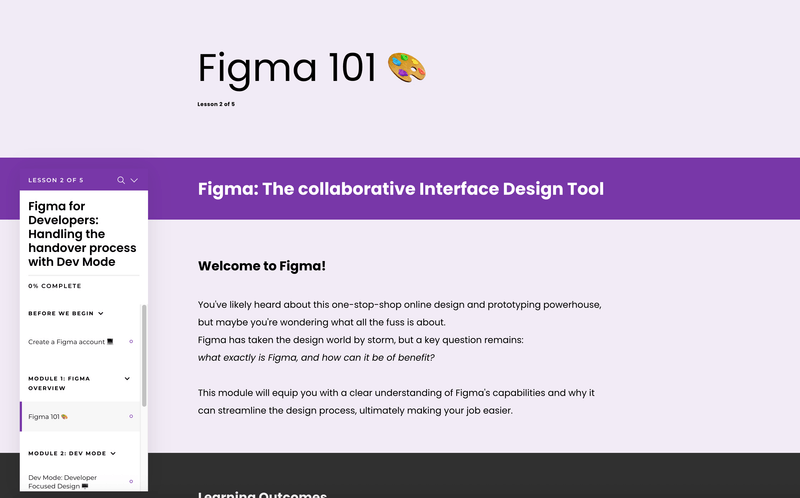
Course Structure
Module 1: Figma Overview
Introduced Figma's interface and basic functionalities relevant to developers.
Module 2: Developer-Focused Design
Explained the use of Dev Mode to access design specs, CSS snippets, and assets.
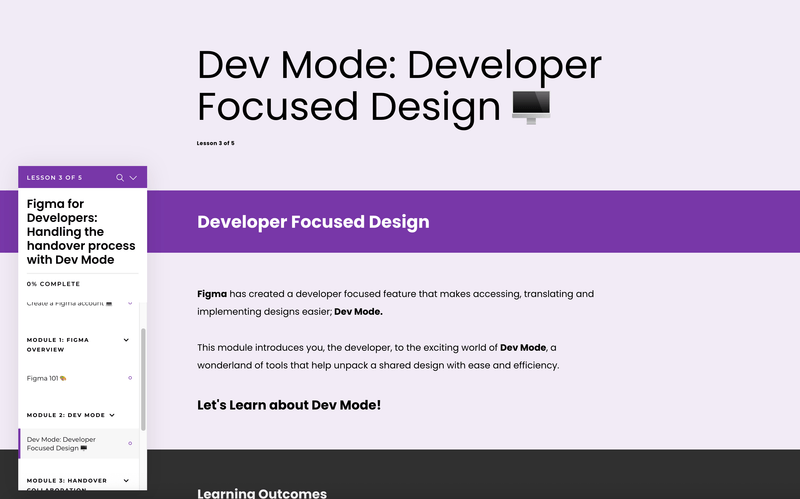
Module 3: Handover Collaboration
Applied learned concepts to a real-world handover scenario through a guided exercise.
Interactive Elements
- Videos & Tutorials: Step-by-step guidance on Figma's tools and workflows
- Quizzes & Assessments: Reinforced learning through interactive checkpoints
- Final Hands-On Exercise: Allowed participants to practice design handover in a simulated environment
Development Process
- Designed the course in Articulate Rise 360 for a seamless, responsive user experience
- Incorporated multimedia elements to enhance engagement and retention
- Tested across devices to ensure compatibility
Reflections
What Worked Well
The modular structure kept learners focused on one concept at a time, allowing incremental understanding. Practical exercises provided tangible ways to apply knowledge.
Areas for Improvement
Including more advanced exercises for experienced developers and gathering detailed feedback would improve the course.
Next Steps
- Expand to include advanced Figma features and plugins
- Create complementary resources like cheat sheets and video tutorials
- Implement targeted marketing campaigns